There’s a lot to keep track of when it comes to ordering promotional giveaways. All this talk about setup fees, logo colors, and printing is enough to make anyone’s brain feel all fuzzy!
Let’s start breaking down some of that mumbo jumbo for your order at Quality Logo Products®. Here’s everything you need to know about:
Vector vs. raster art.
How to send in your design.
Where your design will be printed.
Who will receive your artwork.
The next steps in the ordering process.
Vector art is created with mathematical formulas using Illustrator or other design software like CorelDRAW. Raster images, on the other hand, are also known as bitmaps and are made of pixels that may look blurry if altered in any way.


*The logos above are the property of the respective software.

*The logos above are the property of the respective software.
*The logos above are the property of the respective software.
AI, EPS, FH, CDR, PDF, SVG
JPG, JPEG, DOC, PPT, GIF, EPS, PSD, TIF
Both vector and raster are great, depending on the project. However, when it comes to printing on promotional products, it’s all about using vectored graphics. The images can be altered and resized without worrying about any blurriness or poor quality, whether it’s a large cooler or a tiny keychain.
Want to learn more about vector art? Check out this helpful video!

Let’s say you picked out a cool stress ball and you want to print your company’s logo and name on the front. In order for that design to make it to your stress ball, you need to send the image and text you’d like printed.
This can be done via vector images from:
Adobe Illustrator (AI, EPS)
CorelDraw (CDR)
Freehand (FH)
Sketch
Quark
 Ai file icons created by Maniprasanth – Flaticon
Adobe’s Creative Suite is designed for anyone to easily create graphics as well as 3D effects and objects. It’s very user-friendly and a great option for small businesses and non-profit organizations with a frequent need for graphics.
 Corel icons created by agustrisana – Flaticon
CorelDRAW is a great choice if you’re operating from a computer with a small memory bank and you don’t create many graphics. It takes up limited space and is easy to learn and operate.

This software is part of the Adobe family. Like Illustrator, it’s a great design tool for businesses, especially if they create a lot of web content.
 Brands icons created by pocike – Flaticon
Are you an Apple fan? If so, then Sketch is the graphic design software for you! It’s insanely affordable and features an autosave that eliminates any fear over lost work.

Quark is an excellent choice for ebooks, online magazines, and many other mediums. Additionally, be sure to check out QuarkXPress, an upgraded bundle with many new, exciting features!
Vector art is the best of the best when it comes to promotional products. You can use any of this software to create the artwork you’d like printed on your giveaways.
Ultimately, many of us aren’t lucky enough to have access to graphic design software. If that’s the case, the team at Quality Logo Products® also accepts raster images from:
JPEGs & GIFs
Microsoft Office (DOCS, PPTs, TXTs)
Photoshop
 Picture icons created by Freepik – Flaticon
Do you have an awesome pic on your phone that you’d like printed on a tote bag? That’s a possibility, as well! Having said that, your image won’t be printed “as is” and will be converted to vector.

There are more than 1.2 billion Microsoft Office users around the world. Since this software is so accessible, you’ll be happy to know you can send a file straight from Word or PowerPoint.
 Graphic design icons created by Freepik – Flaticon
Photoshop is another tool in the Adobe family, but it’s not able to create vectored images. With that said, there are still a lot of awesome editing features for photographs and other raster images.
The main difference between images from any of this software and something from Illustrator is the resolution or quality. Computer files and camera pictures aren’t able to be stretched or altered as easily. If any changes were made to those files, your design might end up looking blurry or pixelated on your promotional items. That’s why we advise avoiding sending in these file formats whenever possible.
The good news is, the art team at Quality Logo Products® is able to convert files saved from these programs into vectored art. This will add a bit of time to your order, but it’s well worth it in the long run for something that looks good.

Is your logo larger than 15 MB? If so, then Dropbox is a great choice for you! Create a link and send it directly to the team at Quality Logo Products®. From there, we’ll get it ready to be printed on your promotional products!

Are you not on Dropbox? We will send you a direct request via email so you can upload your file. If possible, please include your order number with your artwork so we can easily find you! This is how the request will look in your email:
If you don’t have Dropbox, you can click “Choose from computer” and a link will be automatically created for you. After you’ve completed this step, email your rep and let them know the Dropbox file is ready to go!
Still have questions? Feel free to reach out to our team directly and they’ll help break down the process for you!
Now that you know how to send your design, you’re probably wondering where it will be printed on your promo items. The short and sweet answer is it all depends on what you’re ordering. Every product has its own dedicated imprint area. This is the space where your design is printed and is set by the factory. Thus, it cannot be changed.

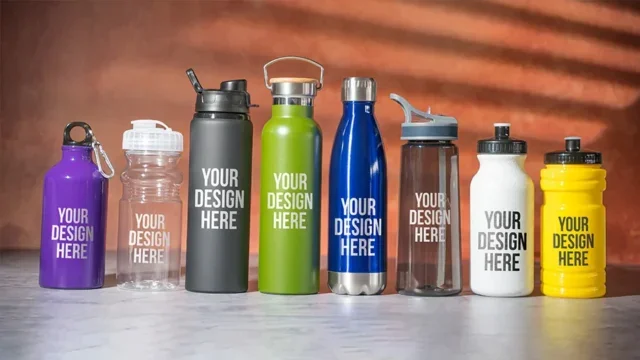
Let’s say, for example, you want water bottles with your logo to bring to a community fundraiser. Your logo, company name, or whatever you’d like printed will be smack dab in the middle.

It’s going to be a different story for pens. Your design will be printed across the barrel, but as you can see, there’s not as much room as is available on the water bottles. With that in mind, the design needs to be printed horizontally and shrunk down.
Your design will be printed in a different location from promo item to promo item. Keep in mind, you also have the option for a double-sided imprint for many promotional products. This is when your design is printed on both sides of an item.
For example, your tote bag might have your logo and name printed on the front and contact information on the back. There’s an extra cost associated with this printing method, so consider your budget before you spend any extra pennies on a two-sided imprint.

Front

Back
Once your artwork is all ready to go, you can send it over to your dedicated sales rep. If you’re placing an online order, you can send your artwork here!
Make your custom stress ball request by contacting our team at:

Your rep will convert the design to vector if it isn’t already in that format. From there, they’ll mock it up on a free digital proof that will be sent to you via email. If you require any changes, you simply have to reach out to your dedicated rep. Be sure to let them know your thoughts and they’ll work with you to ensure you get the best design possible!
There shouldn’t be any confusion when it comes to ordering branded swag. If you want the best experience, you’re making the right call working with Quality Logo Products®, where every promo item is a work of art!
Alyssa Mertes is an expert on branded swag. She's done it all, from uncovering the world's first custom tote bag to interviewing the designer who created AC/DC's logo. Her work has been featured on several podcasts and media websites.